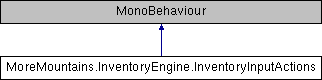
This class lets you bind keys to specific slots in a target inventory, and associate an action to execute when that key is pressed. A typical use case would be a weapon bar, where pressing 1 equips a gun, pressing 2 equips a shotgun, etc. Coincidentally, that's what the PixelRogueWeaponBar demo scene demonstrates.
More...
This class lets you bind keys to specific slots in a target inventory, and associate an action to execute when that key is pressed. A typical use case would be a weapon bar, where pressing 1 equips a gun, pressing 2 equips a shotgun, etc. Coincidentally, that's what the PixelRogueWeaponBar demo scene demonstrates.
◆ Actions
The possible actions that can be caused when activating input
| Enumerator |
|---|
| Equip | |
| Use | |
| Drop | |
| Unequip | |
◆ DetectInput()
| virtual void MoreMountains.InventoryEngine.InventoryInputActions.DetectInput |
( |
| ) |
|
|
protectedvirtual |
Every frame we look for input for each of our bindings
◆ ExecuteAction()
Executes the corresponding action for the specified binding
- Parameters
-
- Exceptions
-
| ArgumentOutOfRangeException | |
◆ Initialization()
| virtual void MoreMountains.InventoryEngine.InventoryInputActions.Initialization |
( |
| ) |
|
|
protectedvirtual |
Makes sure we have a target inventory
◆ Start()
| virtual void MoreMountains.InventoryEngine.InventoryInputActions.Start |
( |
| ) |
|
|
protectedvirtual |
On Start we initialize our inventory reference
◆ Update()
| virtual void MoreMountains.InventoryEngine.InventoryInputActions.Update |
( |
| ) |
|
|
protectedvirtual |
On Update we look for input
◆ _targetInventory
| Inventory MoreMountains.InventoryEngine.InventoryInputActions._targetInventory = null |
|
protected |
◆ InputBindings
a list of bindings to go through when looking for input
◆ PlayerID
| string MoreMountains.InventoryEngine.InventoryInputActions.PlayerID = "Player1" |
the unique ID of the Player associated to this component
◆ TargetInventoryName
| string MoreMountains.InventoryEngine.InventoryInputActions.TargetInventoryName = "MainInventory" |
the name of the inventory to pilot with these bindings
◆ TargetInventory
| Inventory MoreMountains.InventoryEngine.InventoryInputActions.TargetInventory |
|
get |
Returns the target inventory of this component
The documentation for this class was generated from the following file:
- F:/Github/Store/TopDownEngine/Assets/TopDownEngine/ThirdParty/MoreMountains/InventoryEngine/InventoryEngine/Scripts/Core/InventoryInputActions.cs

 1.8.18