 |
TopDown Engine v5.0
|
|
TopDown Engine v5.0
|
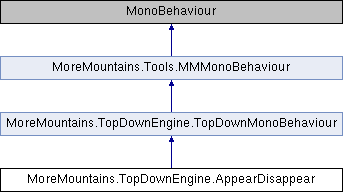
Add this class to an object (usually a platform but it could be anything really) to have it run on an appearing/disappearing loop, like the appearing platforms in Megaman for example. More...
Public Types | |
| enum | AppearDisappearStates { Visible , Hidden , VisibleToHidden , HiddenToVisible } |
| the possible states this object can be in More... | |
| enum | StartModes { Automatic , PlayerContact , Script } |
| the possible start modes (automatic will start on Start, PlayerContact when an object with the Player tag collides with the object, and Script lets you trigger that manually More... | |
| enum | CyclingModes { Forever , Limited } |
Public Member Functions | |
| virtual void | Activate (bool status) |
| Activates or disables the appearing/disappearing behaviour. | |
| virtual void | ChangeState () |
| Changes the state for the next in line. | |
| virtual void | OnTriggerEnter2D (Collider2D collider) |
| When colliding with another object, we check if it's a player, and if it is and we are supposed to start on player contact, we enable our object. | |
| virtual void | ResetCycling () |
Public Attributes | |
| bool | Active = true |
| whether the object is active right now or not | |
| AppearDisappearStates | InitialState |
| the initial state (visible or hidden) the object should start in | |
| StartModes | StartMode = StartModes.Automatic |
| how the object should be activated | |
| CyclingModes | CyclingMode = CyclingModes.Forever |
| how the object should cycle states (forever, a limited amount of times, or never) | |
| int | CyclesAmount = 1 |
| the number of cycles this object can go through before it stops (only used if CyclingMode is Limited) | |
| Vector2 | InitialOffset = new Vector2(0f, 0f) |
| the initial offset to apply to the object's first state change (in seconds) | |
| Vector2 | VisibleDuration = new Vector2(1f, 1f) |
| the min and max duration of the visible state (in seconds) | |
| Vector2 | HiddenDuration = new Vector2(1f, 1f) |
| the min and max duration of the hidden state (in seconds) | |
| Vector2 | VisibleToHiddenDuration = new Vector2(1f, 1f) |
| the min and max duration of the visible to hidden state (in seconds) | |
| Vector2 | HiddenToVisibleDuration = new Vector2(1f, 1f) |
| the min and max duration of the hidden to visible state (in seconds) | |
| MMFeedbacks | VisibleFeedback |
| the feedback to trigger when reaching the visible state | |
| MMFeedbacks | VisibleToHiddenFeedback |
| the feedback to trigger when reaching the visible to hidden state | |
| MMFeedbacks | HiddenFeedback |
| the feedback to trigger when reaching the hidden state | |
| MMFeedbacks | HiddenToVisibleFeedback |
| the feedback to trigger when reaching the hidden to visible state | |
| Animator | TargetAnimator |
| the animator to update | |
| GameObject | TargetModel |
| the game object to show/hide | |
| bool | UpdateAnimator = true |
| whether or not the object should update its animator (set at the same level) when changing state | |
| bool | EnableDisableCollider = true |
| whether or not the object should update its Collider or Collider2D (set at the same level) when changing state | |
| bool | ShowHideModel = false |
| whether or not the object should hide/show a model when changing state | |
| CharacterDetector | TriggerArea |
| the area used to detect the presence of a character | |
| bool | PreventAppearWhenCharacterInArea = true |
| whether or not we should prevent this component from appearing when a character is in the area | |
| bool | PreventDisappearWhenCharacterInArea = false |
| whether or not we should prevent this component from disappearing when a character is in the area | |
| AppearDisappearStates | _currentState |
| the current state this object is in | |
| AppearDisappearStates | _nextState |
| the state this object will be in next | |
| float | _lastStateChangedAt = 0f |
| the last time this object changed state | |
| int | _cyclesLeft |
Protected Member Functions | |
| virtual void | Start () |
| On start we initialize our object. | |
| virtual void | Initialization () |
| On Init, we set our active state, grab components, and determine our next state. | |
| virtual void | Update () |
| On Update we process our state machine. | |
| virtual void | ProcessTriggerArea () |
| virtual void | ProcessStateMachine () |
| Changes the state to the next if time requires it. | |
| virtual void | DetermineNextState () |
| Determines the next state this object should be in. | |
| virtual void | UpdateBoundComponents (bool visible) |
| Updates animator, collider and renderer according to the visible state. | |
| virtual void | RandomizeDurations () |
| Randomizes the durations of each state based on the mins and maxs set in the inpector. | |
Protected Attributes | |
| float | _visibleDuration |
| float | _hiddenDuration |
| float | _visibleToHiddenDuration |
| float | _hiddenToVisibleDuration |
| float | _nextChangeIn |
| MMFeedbacks | _nextFeedback |
| Collider | _collider |
| Collider2D | _collider2D |
| bool | _characterInTriggerArea = false |
Static Protected Attributes | |
| const string | _animationParameter = "Visible" |
Add this class to an object (usually a platform but it could be anything really) to have it run on an appearing/disappearing loop, like the appearing platforms in Megaman for example.
|
virtual |
Activates or disables the appearing/disappearing behaviour.
| status |
|
virtual |
Changes the state for the next in line.
|
protectedvirtual |
Determines the next state this object should be in.
|
protectedvirtual |
On Init, we set our active state, grab components, and determine our next state.
|
virtual |
When colliding with another object, we check if it's a player, and if it is and we are supposed to start on player contact, we enable our object.
| collider |
|
protectedvirtual |
Changes the state to the next if time requires it.
|
protectedvirtual |
|
protectedvirtual |
Randomizes the durations of each state based on the mins and maxs set in the inpector.
|
virtual |
|
protectedvirtual |
On start we initialize our object.
|
protectedvirtual |
On Update we process our state machine.
|
protectedvirtual |
Updates animator, collider and renderer according to the visible state.
| visible |
|
staticprotected |
|
protected |
|
protected |
|
protected |
| AppearDisappearStates MoreMountains.TopDownEngine.AppearDisappear._currentState |
the current state this object is in
| int MoreMountains.TopDownEngine.AppearDisappear._cyclesLeft |
|
protected |
|
protected |
| float MoreMountains.TopDownEngine.AppearDisappear._lastStateChangedAt = 0f |
the last time this object changed state
|
protected |
|
protected |
| AppearDisappearStates MoreMountains.TopDownEngine.AppearDisappear._nextState |
the state this object will be in next
|
protected |
|
protected |
| bool MoreMountains.TopDownEngine.AppearDisappear.Active = true |
whether the object is active right now or not
| int MoreMountains.TopDownEngine.AppearDisappear.CyclesAmount = 1 |
the number of cycles this object can go through before it stops (only used if CyclingMode is Limited)
| CyclingModes MoreMountains.TopDownEngine.AppearDisappear.CyclingMode = CyclingModes.Forever |
how the object should cycle states (forever, a limited amount of times, or never)
| bool MoreMountains.TopDownEngine.AppearDisappear.EnableDisableCollider = true |
whether or not the object should update its Collider or Collider2D (set at the same level) when changing state
| Vector2 MoreMountains.TopDownEngine.AppearDisappear.HiddenDuration = new Vector2(1f, 1f) |
the min and max duration of the hidden state (in seconds)
| MMFeedbacks MoreMountains.TopDownEngine.AppearDisappear.HiddenFeedback |
the feedback to trigger when reaching the hidden state
| Vector2 MoreMountains.TopDownEngine.AppearDisappear.HiddenToVisibleDuration = new Vector2(1f, 1f) |
the min and max duration of the hidden to visible state (in seconds)
| MMFeedbacks MoreMountains.TopDownEngine.AppearDisappear.HiddenToVisibleFeedback |
the feedback to trigger when reaching the hidden to visible state
| Vector2 MoreMountains.TopDownEngine.AppearDisappear.InitialOffset = new Vector2(0f, 0f) |
the initial offset to apply to the object's first state change (in seconds)
| AppearDisappearStates MoreMountains.TopDownEngine.AppearDisappear.InitialState |
the initial state (visible or hidden) the object should start in
| bool MoreMountains.TopDownEngine.AppearDisappear.PreventAppearWhenCharacterInArea = true |
whether or not we should prevent this component from appearing when a character is in the area
| bool MoreMountains.TopDownEngine.AppearDisappear.PreventDisappearWhenCharacterInArea = false |
whether or not we should prevent this component from disappearing when a character is in the area
| bool MoreMountains.TopDownEngine.AppearDisappear.ShowHideModel = false |
whether or not the object should hide/show a model when changing state
| StartModes MoreMountains.TopDownEngine.AppearDisappear.StartMode = StartModes.Automatic |
how the object should be activated
| Animator MoreMountains.TopDownEngine.AppearDisappear.TargetAnimator |
the animator to update
| GameObject MoreMountains.TopDownEngine.AppearDisappear.TargetModel |
the game object to show/hide
| CharacterDetector MoreMountains.TopDownEngine.AppearDisappear.TriggerArea |
the area used to detect the presence of a character
| bool MoreMountains.TopDownEngine.AppearDisappear.UpdateAnimator = true |
whether or not the object should update its animator (set at the same level) when changing state
| Vector2 MoreMountains.TopDownEngine.AppearDisappear.VisibleDuration = new Vector2(1f, 1f) |
the min and max duration of the visible state (in seconds)
| MMFeedbacks MoreMountains.TopDownEngine.AppearDisappear.VisibleFeedback |
the feedback to trigger when reaching the visible state
| Vector2 MoreMountains.TopDownEngine.AppearDisappear.VisibleToHiddenDuration = new Vector2(1f, 1f) |
the min and max duration of the visible to hidden state (in seconds)
| MMFeedbacks MoreMountains.TopDownEngine.AppearDisappear.VisibleToHiddenFeedback |
the feedback to trigger when reaching the visible to hidden state
 1.14.0