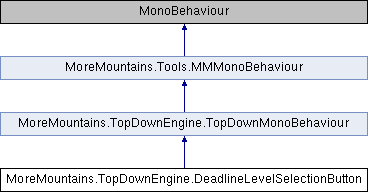
A class to handle the display of levels in the Deadline demo level selector
More...
|
| virtual void | GoToLevel () |
| | The method to call to go the level specified in the inspector More...
|
| |
|
| virtual void | Start () |
| | On start we initialize our setup More...
|
| |
| virtual void | InitialSetup () |
| | Sets various elements (stars, locked icon) based on current saved data More...
|
| |
A class to handle the display of levels in the Deadline demo level selector
◆ GoToLevel()
| virtual void MoreMountains.TopDownEngine.DeadlineLevelSelectionButton.GoToLevel |
( |
| ) |
|
|
virtual |
The method to call to go the level specified in the inspector
◆ InitialSetup()
| virtual void MoreMountains.TopDownEngine.DeadlineLevelSelectionButton.InitialSetup |
( |
| ) |
|
|
protectedvirtual |
Sets various elements (stars, locked icon) based on current saved data
◆ Start()
| virtual void MoreMountains.TopDownEngine.DeadlineLevelSelectionButton.Start |
( |
| ) |
|
|
protectedvirtual |
On start we initialize our setup
◆ _button
| Button MoreMountains.TopDownEngine.DeadlineLevelSelectionButton._button |
|
protected |
◆ CompletedIcon
| Image MoreMountains.TopDownEngine.DeadlineLevelSelectionButton.CompletedIcon |
the icon showing whether or not the level has been completed
◆ LockedIcon
| Image MoreMountains.TopDownEngine.DeadlineLevelSelectionButton.LockedIcon |
the icon showing whether or not the level is locked
◆ SceneName
| string MoreMountains.TopDownEngine.DeadlineLevelSelectionButton.SceneName |
the name of the scene to bind to this element
◆ StarOffColor
| Color MoreMountains.TopDownEngine.DeadlineLevelSelectionButton.StarOffColor |
the color to apply to stars when they're locked
◆ StarOnColor
| Color MoreMountains.TopDownEngine.DeadlineLevelSelectionButton.StarOnColor |
the color to apply to stars once they've been unlocked
◆ Stars
| Image [] MoreMountains.TopDownEngine.DeadlineLevelSelectionButton.Stars |
the stars to display in the level element
The documentation for this class was generated from the following file:

 1.8.18