 |
TopDown Engine
v3.6
|
|
TopDown Engine
v3.6
|
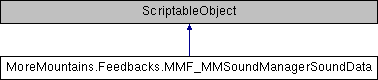
A scriptable object used to store data for MMSoundManager play More...
Public Attributes | |
| AudioClip | Sfx |
| the sound clip to play More... | |
| AudioClip[] | RandomSfx |
| an array to pick a random sfx from More... | |
| bool | SequentialOrder = false |
| if this is true, random sfx audio clips will be played in sequential order instead of at random More... | |
| bool | SequentialOrderHoldLast = false |
| if we're in sequential order, determines whether or not to hold at the last index, until either a cooldown is met, or the ResetSequentialIndex method is called More... | |
| float | SequentialOrderHoldCooldownDuration = 2f |
| if we're in sequential order hold last mode, index will reset to 0 automatically after this duration, unless it's 0, in which case it'll be ignored More... | |
| bool | RandomUnique = false |
| if this is true, sfx will be picked at random until all have been played. once this happens, the list is shuffled again, and it starts over More... | |
| float | MinVolume = 1f |
| the minimum volume to play the sound at More... | |
| float | MaxVolume = 1f |
| the maximum volume to play the sound at More... | |
| float | MinPitch = 1f |
| the minimum pitch to play the sound at More... | |
| float | MaxPitch = 1f |
| the maximum pitch to play the sound at More... | |
| Vector2 | PlaybackTime = new Vector2(0f, 0f) |
| a timestamp (in seconds, randomized between the defined min and max) at which the sound will start playing, equivalent to the Audiosource API's Time) More... | |
| Vector2 | PlaybackDuration = new Vector2(0f, 0f) |
| a duration (in seconds, randomized between the defined min and max) for which the sound will play before stopping. Ignored if min and max are zero. More... | |
| MMSoundManager.MMSoundManagerTracks | MmSoundManagerTrack = MMSoundManager.MMSoundManagerTracks.Sfx |
| the track on which to play the sound. Pick the one that matches the nature of your sound More... | |
| int | ID = 0 |
| the ID of the sound. This is useful if you plan on using sound control feedbacks on it afterwards. More... | |
| AudioMixerGroup | AudioGroup = null |
| the AudioGroup on which to play the sound. If you're already targeting a preset track, you can leave it blank, otherwise the group you specify here will override it. More... | |
| AudioSource | RecycleAudioSource = null |
| if (for some reason) you've already got an audiosource and wouldn't like to use the built-in pool system, you can specify it here More... | |
| bool | Loop = false |
| whether or not this sound should loop More... | |
| bool | Persistent = false |
| whether or not this sound should continue playing when transitioning to another scene More... | |
| bool | DoNotPlayIfClipAlreadyPlaying = false |
| whether or not this sound should play if the same sound clip is already playing More... | |
| bool | StopSoundOnFeedbackStop = false |
| if this is true, this sound will stop playing when stopping the feedback More... | |
| bool | Fade = false |
| whether or not to fade this sound in when playing it More... | |
| float | FadeInitialVolume = 0f |
| if fading, the volume at which to start the fade More... | |
| float | FadeDuration = 1f |
| if fading, the duration of the fade, in seconds More... | |
| MMTweenType | FadeTween = new MMTweenType(MMTween.MMTweenCurve.EaseInOutQuartic) |
| if fading, the tween over which to fade the sound More... | |
| bool | SoloSingleTrack = false |
| whether or not this sound should play in solo mode over its destination track. If yes, all other sounds on that track will be muted when this sound starts playing More... | |
| bool | SoloAllTracks = false |
| whether or not this sound should play in solo mode over all other tracks. If yes, all other tracks will be muted when this sound starts playing More... | |
| bool | AutoUnSoloOnEnd = false |
| if in any of the above solo modes, AutoUnSoloOnEnd will unmute the track(s) automatically once that sound stops playing More... | |
| float | PanStereo |
| Pans a playing sound in a stereo way (left or right). This only applies to sounds that are Mono or Stereo. More... | |
| float | SpatialBlend |
| Sets how much this AudioSource is affected by 3D spatialisation calculations (attenuation, doppler etc). 0.0 makes the sound full 2D, 1.0 makes it full 3D. More... | |
| Transform | AttachToTransform |
| a Transform this sound can 'attach' to and follow it along as it plays More... | |
| bool | BypassEffects = false |
| Bypass effects (Applied from filter components or global listener filters). More... | |
| bool | BypassListenerEffects = false |
| When set global effects on the AudioListener will not be applied to the audio signal generated by the AudioSource. Does not apply if the AudioSource is playing into a mixer group. More... | |
| bool | BypassReverbZones = false |
| When set doesn't route the signal from an AudioSource into the global reverb associated with reverb zones. More... | |
| int | Priority = 128 |
| Sets the priority of the AudioSource. More... | |
| float | ReverbZoneMix = 1f |
| The amount by which the signal from the AudioSource will be mixed into the global reverb associated with the Reverb Zones. More... | |
| float | DopplerLevel = 1f |
| Sets the Doppler scale for this AudioSource. More... | |
| int | Spread = 0 |
| Sets the spread angle (in degrees) of a 3d stereo or multichannel sound in speaker space. More... | |
| AudioRolloffMode | RolloffMode = AudioRolloffMode.Logarithmic |
| Sets/Gets how the AudioSource attenuates over distance. More... | |
| float | MinDistance = 1f |
| Within the Min distance the AudioSource will cease to grow louder in volume. More... | |
| float | MaxDistance = 500f |
| (Logarithmic rolloff) MaxDistance is the distance a sound stops attenuating at. More... | |
| bool | UseCustomRolloffCurve = false |
| whether or not to use a custom curve for custom volume rolloff More... | |
| AnimationCurve | CustomRolloffCurve |
| the curve to use for custom volume rolloff if UseCustomRolloffCurve is true More... | |
| bool | UseSpatialBlendCurve = false |
| whether or not to use a custom curve for spatial blend More... | |
| AnimationCurve | SpatialBlendCurve |
| the curve to use for custom spatial blend if UseSpatialBlendCurve is true More... | |
| bool | UseReverbZoneMixCurve = false |
| whether or not to use a custom curve for reverb zone mix More... | |
| AnimationCurve | ReverbZoneMixCurve |
| the curve to use for custom reverb zone mix if UseReverbZoneMixCurve is true More... | |
| bool | UseSpreadCurve = false |
| whether or not to use a custom curve for spread More... | |
| AnimationCurve | SpreadCurve |
| the curve to use for custom spread if UseSpreadCurve is true More... | |
A scriptable object used to store data for MMSoundManager play
| Transform MoreMountains.Feedbacks.MMF_MMSoundManagerSoundData.AttachToTransform |
a Transform this sound can 'attach' to and follow it along as it plays
| AudioMixerGroup MoreMountains.Feedbacks.MMF_MMSoundManagerSoundData.AudioGroup = null |
the AudioGroup on which to play the sound. If you're already targeting a preset track, you can leave it blank, otherwise the group you specify here will override it.
| bool MoreMountains.Feedbacks.MMF_MMSoundManagerSoundData.AutoUnSoloOnEnd = false |
if in any of the above solo modes, AutoUnSoloOnEnd will unmute the track(s) automatically once that sound stops playing
| bool MoreMountains.Feedbacks.MMF_MMSoundManagerSoundData.BypassEffects = false |
Bypass effects (Applied from filter components or global listener filters).
| bool MoreMountains.Feedbacks.MMF_MMSoundManagerSoundData.BypassListenerEffects = false |
When set global effects on the AudioListener will not be applied to the audio signal generated by the AudioSource. Does not apply if the AudioSource is playing into a mixer group.
| bool MoreMountains.Feedbacks.MMF_MMSoundManagerSoundData.BypassReverbZones = false |
When set doesn't route the signal from an AudioSource into the global reverb associated with reverb zones.
| AnimationCurve MoreMountains.Feedbacks.MMF_MMSoundManagerSoundData.CustomRolloffCurve |
the curve to use for custom volume rolloff if UseCustomRolloffCurve is true
| bool MoreMountains.Feedbacks.MMF_MMSoundManagerSoundData.DoNotPlayIfClipAlreadyPlaying = false |
whether or not this sound should play if the same sound clip is already playing
| float MoreMountains.Feedbacks.MMF_MMSoundManagerSoundData.DopplerLevel = 1f |
Sets the Doppler scale for this AudioSource.
| bool MoreMountains.Feedbacks.MMF_MMSoundManagerSoundData.Fade = false |
whether or not to fade this sound in when playing it
| float MoreMountains.Feedbacks.MMF_MMSoundManagerSoundData.FadeDuration = 1f |
if fading, the duration of the fade, in seconds
| float MoreMountains.Feedbacks.MMF_MMSoundManagerSoundData.FadeInitialVolume = 0f |
if fading, the volume at which to start the fade
| MMTweenType MoreMountains.Feedbacks.MMF_MMSoundManagerSoundData.FadeTween = new MMTweenType(MMTween.MMTweenCurve.EaseInOutQuartic) |
if fading, the tween over which to fade the sound
| int MoreMountains.Feedbacks.MMF_MMSoundManagerSoundData.ID = 0 |
the ID of the sound. This is useful if you plan on using sound control feedbacks on it afterwards.
| bool MoreMountains.Feedbacks.MMF_MMSoundManagerSoundData.Loop = false |
whether or not this sound should loop
| float MoreMountains.Feedbacks.MMF_MMSoundManagerSoundData.MaxDistance = 500f |
(Logarithmic rolloff) MaxDistance is the distance a sound stops attenuating at.
| float MoreMountains.Feedbacks.MMF_MMSoundManagerSoundData.MaxPitch = 1f |
the maximum pitch to play the sound at
| float MoreMountains.Feedbacks.MMF_MMSoundManagerSoundData.MaxVolume = 1f |
the maximum volume to play the sound at
| float MoreMountains.Feedbacks.MMF_MMSoundManagerSoundData.MinDistance = 1f |
Within the Min distance the AudioSource will cease to grow louder in volume.
| float MoreMountains.Feedbacks.MMF_MMSoundManagerSoundData.MinPitch = 1f |
the minimum pitch to play the sound at
| float MoreMountains.Feedbacks.MMF_MMSoundManagerSoundData.MinVolume = 1f |
the minimum volume to play the sound at
| MMSoundManager.MMSoundManagerTracks MoreMountains.Feedbacks.MMF_MMSoundManagerSoundData.MmSoundManagerTrack = MMSoundManager.MMSoundManagerTracks.Sfx |
the track on which to play the sound. Pick the one that matches the nature of your sound
| float MoreMountains.Feedbacks.MMF_MMSoundManagerSoundData.PanStereo |
Pans a playing sound in a stereo way (left or right). This only applies to sounds that are Mono or Stereo.
| bool MoreMountains.Feedbacks.MMF_MMSoundManagerSoundData.Persistent = false |
whether or not this sound should continue playing when transitioning to another scene
| Vector2 MoreMountains.Feedbacks.MMF_MMSoundManagerSoundData.PlaybackDuration = new Vector2(0f, 0f) |
a duration (in seconds, randomized between the defined min and max) for which the sound will play before stopping. Ignored if min and max are zero.
| Vector2 MoreMountains.Feedbacks.MMF_MMSoundManagerSoundData.PlaybackTime = new Vector2(0f, 0f) |
a timestamp (in seconds, randomized between the defined min and max) at which the sound will start playing, equivalent to the Audiosource API's Time)
| int MoreMountains.Feedbacks.MMF_MMSoundManagerSoundData.Priority = 128 |
Sets the priority of the AudioSource.
| AudioClip [] MoreMountains.Feedbacks.MMF_MMSoundManagerSoundData.RandomSfx |
an array to pick a random sfx from
| bool MoreMountains.Feedbacks.MMF_MMSoundManagerSoundData.RandomUnique = false |
if this is true, sfx will be picked at random until all have been played. once this happens, the list is shuffled again, and it starts over
| AudioSource MoreMountains.Feedbacks.MMF_MMSoundManagerSoundData.RecycleAudioSource = null |
if (for some reason) you've already got an audiosource and wouldn't like to use the built-in pool system, you can specify it here
| float MoreMountains.Feedbacks.MMF_MMSoundManagerSoundData.ReverbZoneMix = 1f |
The amount by which the signal from the AudioSource will be mixed into the global reverb associated with the Reverb Zones.
| AnimationCurve MoreMountains.Feedbacks.MMF_MMSoundManagerSoundData.ReverbZoneMixCurve |
the curve to use for custom reverb zone mix if UseReverbZoneMixCurve is true
| AudioRolloffMode MoreMountains.Feedbacks.MMF_MMSoundManagerSoundData.RolloffMode = AudioRolloffMode.Logarithmic |
Sets/Gets how the AudioSource attenuates over distance.
| bool MoreMountains.Feedbacks.MMF_MMSoundManagerSoundData.SequentialOrder = false |
if this is true, random sfx audio clips will be played in sequential order instead of at random
| float MoreMountains.Feedbacks.MMF_MMSoundManagerSoundData.SequentialOrderHoldCooldownDuration = 2f |
if we're in sequential order hold last mode, index will reset to 0 automatically after this duration, unless it's 0, in which case it'll be ignored
| bool MoreMountains.Feedbacks.MMF_MMSoundManagerSoundData.SequentialOrderHoldLast = false |
if we're in sequential order, determines whether or not to hold at the last index, until either a cooldown is met, or the ResetSequentialIndex method is called
| AudioClip MoreMountains.Feedbacks.MMF_MMSoundManagerSoundData.Sfx |
the sound clip to play
| bool MoreMountains.Feedbacks.MMF_MMSoundManagerSoundData.SoloAllTracks = false |
whether or not this sound should play in solo mode over all other tracks. If yes, all other tracks will be muted when this sound starts playing
| bool MoreMountains.Feedbacks.MMF_MMSoundManagerSoundData.SoloSingleTrack = false |
whether or not this sound should play in solo mode over its destination track. If yes, all other sounds on that track will be muted when this sound starts playing
| float MoreMountains.Feedbacks.MMF_MMSoundManagerSoundData.SpatialBlend |
Sets how much this AudioSource is affected by 3D spatialisation calculations (attenuation, doppler etc). 0.0 makes the sound full 2D, 1.0 makes it full 3D.
| AnimationCurve MoreMountains.Feedbacks.MMF_MMSoundManagerSoundData.SpatialBlendCurve |
the curve to use for custom spatial blend if UseSpatialBlendCurve is true
| int MoreMountains.Feedbacks.MMF_MMSoundManagerSoundData.Spread = 0 |
Sets the spread angle (in degrees) of a 3d stereo or multichannel sound in speaker space.
| AnimationCurve MoreMountains.Feedbacks.MMF_MMSoundManagerSoundData.SpreadCurve |
the curve to use for custom spread if UseSpreadCurve is true
| bool MoreMountains.Feedbacks.MMF_MMSoundManagerSoundData.StopSoundOnFeedbackStop = false |
if this is true, this sound will stop playing when stopping the feedback
| bool MoreMountains.Feedbacks.MMF_MMSoundManagerSoundData.UseCustomRolloffCurve = false |
whether or not to use a custom curve for custom volume rolloff
| bool MoreMountains.Feedbacks.MMF_MMSoundManagerSoundData.UseReverbZoneMixCurve = false |
whether or not to use a custom curve for reverb zone mix
| bool MoreMountains.Feedbacks.MMF_MMSoundManagerSoundData.UseSpatialBlendCurve = false |
whether or not to use a custom curve for spatial blend
| bool MoreMountains.Feedbacks.MMF_MMSoundManagerSoundData.UseSpreadCurve = false |
whether or not to use a custom curve for spread
 1.8.18