 |
TopDown Engine
v3.6
|
|
TopDown Engine
v3.6
|
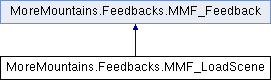
This feedback will request the load of a new scene, using the method of your choice More...
Public Types | |
| enum | LoadingModes { LoadingModes.Direct, LoadingModes.MMSceneLoadingManager, LoadingModes.MMAdditiveSceneLoadingManager, LoadingModes.DirectAdditive } |
| sets the inspector color for this feedback More... | |
Public Attributes | |
| string | LoadingSceneName = "MMAdditiveLoadingScreen" |
| the name of the loading screen scene to use More... | |
| string | DestinationSceneName = "" |
| the name of the destination scene More... | |
| LoadingModes | LoadingMode = LoadingModes.MMAdditiveSceneLoadingManager |
| the loading mode to use More... | |
| ThreadPriority | Priority = ThreadPriority.High |
| the priority to use when loading the new scenes More... | |
| bool | SecureLoad = true |
| whether or not to perform extra checks to make sure the loading screen and destination scene are in the build settings More... | |
| MMAdditiveSceneLoadingManagerSettings.UnloadMethods | UnloadMethod |
| the chosen way to unload scenes (none, only the active scene, all loaded scenes) More... | |
| string | AntiSpillSceneName = "" |
| float | BeforeEntryFadeDelay = 0f |
| a delay (in seconds) to apply before the first fade plays More... | |
| float | EntryFadeDuration = 0.2f |
| the duration (in seconds) of the entry fade More... | |
| float | AfterEntryFadeDelay = 0f |
| a delay (in seconds) to apply after the first fade plays More... | |
| float | BeforeExitFadeDelay = 0f |
| a delay (in seconds) to apply before the exit fade plays More... | |
| float | ExitFadeDuration = 0.2f |
| the duration (in seconds) of the exit fade More... | |
| bool | InterpolateProgress = true |
| whether or not to interpolate progress (slower, but usually looks better and smoother) More... | |
| float | ProgressInterpolationSpeed = 5f |
| the speed at which the progress bar should move if interpolated More... | |
| List< MMSceneLoadingSpeedInterval > | SpeedIntervals |
| a list of progress intervals (values should be between 0 and 1) and their associated speeds, letting you have the bar progress less linearly More... | |
| MMAdditiveSceneLoadingManager.FadeModes | FadeMode = MMAdditiveSceneLoadingManager.FadeModes.FadeInThenOut |
| the order in which to play fades (really depends on the type of fader you have in your loading screen More... | |
| MMTweenType | EntryFadeTween = new MMTweenType(new AnimationCurve(new Keyframe(0, 0), new Keyframe(1, 1))) |
| the tween to use on the entry fade More... | |
| MMTweenType | ExitFadeTween = new MMTweenType(new AnimationCurve(new Keyframe(0, 0), new Keyframe(1, 1))) |
| the tween to use on the exit fade More... | |
 Public Attributes inherited from MoreMountains.Feedbacks.MMF_Feedback Public Attributes inherited from MoreMountains.Feedbacks.MMF_Feedback | |
| bool | Active = true |
| whether or not this feedback is active More... | |
| int | UniqueID |
| string | Label = "MMFeedback" |
| the name of this feedback to display in the inspector More... | |
| MMChannelModes | ChannelMode = MMChannelModes.Int |
| int | Channel = 0 |
| the ID of the channel on which this feedback will communicate More... | |
| MMChannel | MMChannelDefinition = null |
| float | Chance = 100f |
| the chance of this feedback happening (in percent : 100 : happens all the time, 0 : never happens, 50 : happens once every two calls, etc) More... | |
| Color | DisplayColor = Color.black |
| use this color to customize the background color of the feedback in the MMF_Player's list More... | |
| MMFeedbackTiming | Timing |
| a number of timing-related values (delay, repeat, etc) More... | |
| MMFeedbackTargetAcquisition | AutomatedTargetAcquisition |
| a set of settings letting you define automated target acquisition for this feedback, to (for example) automatically grab the target on this game object, or a parent, a child, or on a reference holder More... | |
| bool | RandomizeOutput = false |
| if this is true, intensity will be multiplied by a random value on play, picked between RandomMultiplier.x and RandomMultiplier.y More... | |
| Vector2 | RandomMultiplier = new Vector2(0.8f, 1f) |
| a random value (randomized between its x and y) by which to multiply the output of this feedback, if RandomizeOutput is true More... | |
| bool | RandomizeDuration = false |
| if this is true, this feedback's duration will be multiplied by a random value on play, picked between RandomDurationMultiplier.x and RandomDurationMultiplier.y More... | |
| Vector2 | RandomDurationMultiplier = new Vector2(0.5f, 2f) |
| a random value (randomized between its x and y) by which to multiply the duration of this feedback, if RandomizeDuration is true More... | |
| bool | UseRange = false |
| if this is true, only shakers within the specified range will respond to this feedback More... | |
| float | RangeDistance = 5f |
| when in UseRange mode, only shakers within that distance will respond to this feedback More... | |
| bool | UseRangeFalloff = false |
| when in UseRange mode, whether or not to modify the shake intensity based on the RangeFallOff curve More... | |
| AnimationCurve | RangeFalloff = new AnimationCurve(new Keyframe(0f, 1f), new Keyframe(1f, 0f)) |
| the animation curve to use to define falloff (on the x 0 represents the range center, 1 represents the max distance to it) More... | |
| Vector2 | RemapRangeFalloff = new Vector2(0f, 1f) |
| the values to remap the falloff curve's y axis' 0 and 1 More... | |
| MMF_Player | Owner |
| the Owner of the feedback, as defined when calling the Initialization method More... | |
| bool | DebugActive = false |
| whether or not this feedback is in debug mode More... | |
| virtual IEnumerator | Pause => null |
| set this to true if your feedback should pause the execution of the feedback sequence More... | |
| virtual bool | HoldingPause => false |
| if this is true, this feedback will wait until all previous feedbacks have run More... | |
| virtual bool | LooperPause => false |
| if this is true, this feedback will wait until all previous feedbacks have run, then run all previous feedbacks again More... | |
| virtual bool | LooperStart => false |
| if this is true, this feedback will wait until all previous feedbacks have run, then run all previous feedbacks again More... | |
| virtual bool | HasChannel => false |
| if this is true, the Channel property will be displayed, otherwise it'll be hidden More... | |
| virtual bool | HasRandomness => false |
| if this is true, the Randomness group will be displayed, otherwise it'll be hidden More... | |
| virtual bool | CanForceInitialValue => false |
| if this is true, this feedback implements ForceInitialState, otherwise calling that method will have no effect More... | |
| virtual bool | ForceInitialValueDelayed => false |
| if this is true, force initial value will happen over two frames More... | |
| virtual bool | HasAutomatedTargetAcquisition => false |
| whether or not this feedback can automatically grab the target on this game object, or a parent, a child, or on a reference holder More... | |
| virtual bool | HasRange => false |
| if this is true, the Range group will be displayed, otherwise it'll be hidden More... | |
| virtual bool | HasCustomInspectors => false |
| virtual bool | InCooldown |
| returns true if this feedback is in cooldown at this time (and thus can't play), false otherwise More... | |
| virtual float | ComputedRandomMultiplier |
| Returns the random multiplier to apply to this feedback's output More... | |
| virtual bool | RequiresSetup => _requiresSetup |
| A flag used to determine if a feedback has all it needs, or if it requires some extra setup. This flag will be used to display a warning icon in the inspector if the feedback is not ready to be played. More... | |
| virtual string | RequiredTarget => _requiredTarget |
| virtual bool | DrawGroupInspectors => true |
| if this is true, group inspectors will be displayed within this feedback More... | |
| virtual bool | DisplayFullHeaderColor => false |
| if this is true, the feedback will be displayed in the MMF Player's list with a full color background, as opposed to just a small line on the left More... | |
| virtual string | RequiresSetupText => "This feedback requires some additional setup." |
| defines the setup text that will be displayed on the feedback, should setup be required More... | |
| virtual string | RequiredTargetText => "" |
| the text used to describe the required target More... | |
| virtual float | FeedbackStartedAt => Application.isPlaying ? _lastPlayTimestamp : -1f |
| virtual bool | FeedbackPlaying |
| whether or not this feedback is playing right now More... | |
| virtual MMChannelData | ChannelData => _channelData.Set(ChannelMode, Channel, MMChannelDefinition) |
| a ChannelData object, ready to pass to an event More... | |
Static Public Attributes | |
| static bool | FeedbackTypeAuthorized = true |
| a static bool used to disable all feedbacks of this type at once More... | |
| Static Public Attributes inherited from MoreMountains.Feedbacks.MMF_Feedback | |
| const string | _randomnessGroupName = "Feedback Randomness" |
| const string | _rangeGroupName = "Feedback Range" |
Protected Member Functions | |
| override void | CustomPlayFeedback (Vector3 position, float feedbacksIntensity=1.0f) |
| On play, we request a load of the destination scene using hte specified method More... | |
| Protected Member Functions inherited from MoreMountains.Feedbacks.MMF_Feedback | |
| virtual void | AutomateTargetAcquisitionInternal () |
| Performs automated target acquisition, if needed More... | |
| virtual void | AutomateTargetAcquisition () |
| A method meant to be implemented per feedback letting you specify what happens (usually setting a target) More... | |
| virtual GameObject | FindAutomatedTargetGameObject () |
| virtual T | FindAutomatedTarget< T > () |
| virtual IEnumerator | PlayCoroutine (Vector3 position, float feedbacksIntensity=1.0f) |
| An internal coroutine delaying the initial play of the feedback More... | |
| virtual void | RegularPlay (Vector3 position, float feedbacksIntensity=1.0f) |
| Triggers delaying coroutines if needed More... | |
| virtual IEnumerator | InfinitePlay (Vector3 position, float feedbacksIntensity=1.0f) |
| Internal coroutine used for repeated play without end More... | |
| virtual IEnumerator | RepeatedPlay (Vector3 position, float feedbacksIntensity=1.0f) |
| Internal coroutine used for repeated play More... | |
| virtual IEnumerator | SequenceCoroutine (Vector3 position, float feedbacksIntensity=1.0f) |
| A coroutine used to play this feedback on a sequence More... | |
| virtual IEnumerator | ForceInitialValueDelayedCo (Vector3 position, float feedbacksIntensity=1.0f) |
| A coroutine used to delay the Stop when forcing initial values (used mostly with shaker based feedbacks) More... | |
| virtual float | ApplyTimeMultiplier (float duration) |
| Applies the host MMFeedbacks' time multiplier to this feedback More... | |
| virtual IEnumerator | WaitFor (float delay) |
| Internal method used to wait for a duration, on scaled or unscaled time More... | |
| virtual float | ApplyDirection (float normalizedTime) |
| Returns a new value of the normalized time based on the current play direction of this feedback More... | |
| virtual void | CustomInitialization (MMF_Player owner) |
| This method describes all custom initialization processes the feedback requires, in addition to the main Initialization method More... | |
| virtual void | CustomStopFeedback (Vector3 position, float feedbacksIntensity=1.0f) |
| This method describes what happens when the feedback gets stopped More... | |
| virtual void | CustomSkipToTheEnd (Vector3 position, float feedbacksIntensity=1.0f) |
| This method describes what happens when the feedback gets skipped to the end More... | |
| virtual void | CustomRestoreInitialValues () |
| This method describes what happens when the feedback gets restored More... | |
| virtual void | CustomPlayerComplete () |
| This method describes what happens when the player this feedback belongs to completes playing More... | |
| virtual void | CustomReset () |
| This method describes what happens when the feedback gets reset More... | |
Additional Inherited Members | |
| Public Member Functions inherited from MoreMountains.Feedbacks.MMF_Feedback | |
| virtual float | ComputeIntensity (float intensity, Vector3 position) |
| Computes the new intensity, taking into account constant intensity and potential randomness More... | |
| virtual void | CacheRequiresSetup () |
| virtual bool | EvaluateRequiresSetup () |
| Override this method to determine if a feedback requires setup More... | |
| virtual void | SetFeedbackDuration (float newDuration) |
| Use this method to change the duration of this feedback More... | |
| virtual void | PreInitialization (MMF_Player owner, int index) |
| Runs at Awake, lets you preinitialize your custom feedback before Initialization More... | |
| virtual void | Initialization (MMF_Player owner, int index) |
| Typically runs on Start, Initializes the feedback and its timing related variables More... | |
| virtual void | SetIndexInFeedbacksList (int index) |
| Lets you specify at what index this feedback is in the list - use carefully (or don't use at all) More... | |
| virtual void | ForceAutomateTargetAcquisition () |
| Lets you force target acquisition, outside of initialization where it usually occurs More... | |
| virtual void | Play (Vector3 position, float feedbacksIntensity=1.0f) |
| Plays the feedback More... | |
| virtual void | SetSequence (MMSequence newSequence) |
| Use this method to change this feedback's sequence at runtime More... | |
| virtual void | Stop (Vector3 position, float feedbacksIntensity=1.0f) |
| Stops all feedbacks from playing. Will stop repeating feedbacks, and call custom stop implementations More... | |
| virtual void | SkipToTheEnd (Vector3 position, float feedbacksIntensity=1.0f) |
| Called when skipping to the end of MMF_Player, calls custom Skip on all feedbacks More... | |
| virtual void | ForceInitialValue (Vector3 position, float feedbacksIntensity=1.0f) |
| Forces the feedback to set its initial value (behavior will change from feedback to feedback, but for example, a Position feedback that moves a Transform from point A to B would automatically move the Transform to point A when ForceInitialState is called More... | |
| virtual void | RestoreInitialValues () |
| Called when restoring the initial state of a player, calls custom Restore on all feedbacks More... | |
| virtual void | ResetFeedback () |
| Calls this feedback's custom reset More... | |
| virtual void | PlayerComplete () |
| This gets called by the MMF Player when all feedbacks have completed playing More... | |
| virtual void | SetDelayBetweenRepeats (float delay) |
| Use this method to specify a new delay between repeats at runtime More... | |
| virtual void | SetInitialDelay (float delay) |
| Use this method to specify a new initial delay at runtime More... | |
| virtual void | ComputeNewRandomDurationMultiplier () |
| Computes a new random duration multiplier More... | |
| virtual void | ComputeTotalDuration () |
| Computes the total duration of this feedback More... | |
| virtual void | InitializeCustomAttributes () |
| Use this method to initialize any custom attributes you may have More... | |
| virtual void | OnValidate () |
| Triggered when a change happens in the inspector More... | |
| virtual void | OnAddFeedback () |
| Triggered when the feedback gets added to the player More... | |
| virtual void | OnDestroy () |
| Triggered when that feedback gets destroyed More... | |
| virtual void | OnDisable () |
| Triggered when the host MMF Player gets disabled More... | |
| virtual void | OnDrawGizmosSelectedHandler () |
| Triggered when the host MMF Player gets selected, can be used to draw gizmos More... | |
| Protected Attributes inherited from MoreMountains.Feedbacks.MMF_Feedback | |
| float | _lastPlayTimestamp = -1f |
| int | _playsLeft |
| bool | _initialized = false |
| Coroutine | _playCoroutine |
| Coroutine | _infinitePlayCoroutine |
| Coroutine | _sequenceCoroutine |
| Coroutine | _repeatedPlayCoroutine |
| bool | _requiresSetup = false |
| string | _requiredTarget = "" |
| float | _randomDurationMultiplier = 1f |
| int | _sequenceTrackID = 0 |
| float | _beatInterval |
| bool | BeatThisFrame = false |
| int | LastBeatIndex = 0 |
| int | CurrentSequenceIndex = 0 |
| float | LastBeatTimestamp = 0f |
| MMChannelData | _channelData |
| float | _totalDuration = 0f |
| int | _indexInOwnerFeedbackList = 0 |
| string | _requiredTargetTextCached = "." |
| Properties inherited from MoreMountains.Feedbacks.MMF_Feedback | |
| virtual bool | ScriptDrivenPause [get, set] |
| if this is true, this feedback will pause and wait until Resume() is called on its parent MMFeedbacks to resume execution More... | |
| virtual float | ScriptDrivenPauseAutoResume [get, set] |
| if this is a positive value, the feedback will auto resume after that duration if it hasn't been resumed via script already More... | |
| virtual MMF_ReferenceHolder | ForcedReferenceHolder [get, set] |
| when in forced reference mode, this will contain the forced reference holder that will be used (usually set by itself) More... | |
| virtual bool | IsPlaying [get, set] |
| if this is true, this feedback is currently playing More... | |
| virtual TimescaleModes | ComputedTimescaleMode [get] |
| Returns the timescale mode to use in logic, taking into account the one set at the feedback level and the player level More... | |
| virtual bool | InScaledTimescaleMode [get] |
| returns true if this feedback is in Scaled timescale mode, false otherwise More... | |
| virtual float | FeedbackTime [get] |
| the time (or unscaled time) based on the selected Timing settings More... | |
| virtual float | FeedbackDeltaTime [get] |
| the delta time (or unscaled delta time) based on the selected Timing settings More... | |
| virtual float | TotalDuration [get] |
| The total duration of this feedback : total = initial delay + duration * (number of repeats + delay between repeats) More... | |
| virtual bool | IsExpanded [get, set] |
| virtual string | RequiredChannelText [get] |
| virtual float | FeedbackDuration [get, set] |
| virtual float? | FinalNormalizedTime [get] |
| Returns the t value at which to evaluate a curve at the end of this feedback's play time More... | |
| virtual bool | NormalPlayDirection [get] |
| Returns true if this feedback should play normally, or false if it should play in rewind More... | |
| virtual bool | ShouldPlayInThisSequenceDirection [get] |
| Returns true if this feedback should play in the current parent MMFeedbacks direction, according to its MMFeedbacksDirectionCondition setting More... | |
This feedback will request the load of a new scene, using the method of your choice
sets the inspector color for this feedback
the possible ways to load a new scene :
| Enumerator | |
|---|---|
| Direct | |
| MMSceneLoadingManager | |
| MMAdditiveSceneLoadingManager | |
| DirectAdditive | |
|
protectedvirtual |
On play, we request a load of the destination scene using hte specified method
| position | |
| feedbacksIntensity |
Implements MoreMountains.Feedbacks.MMF_Feedback.
| float MoreMountains.Feedbacks.MMF_LoadScene.AfterEntryFadeDelay = 0f |
a delay (in seconds) to apply after the first fade plays
| string MoreMountains.Feedbacks.MMF_LoadScene.AntiSpillSceneName = "" |
the name of the anti spill scene to use when loading additively. If left empty, that scene will be automatically created, but you can specify any scene to use for that. Usually you'll want your own anti spill scene to be just an empty scene, but you can customize its lighting settings for example.
| float MoreMountains.Feedbacks.MMF_LoadScene.BeforeEntryFadeDelay = 0f |
a delay (in seconds) to apply before the first fade plays
| float MoreMountains.Feedbacks.MMF_LoadScene.BeforeExitFadeDelay = 0f |
a delay (in seconds) to apply before the exit fade plays
| string MoreMountains.Feedbacks.MMF_LoadScene.DestinationSceneName = "" |
the name of the destination scene
| float MoreMountains.Feedbacks.MMF_LoadScene.EntryFadeDuration = 0.2f |
the duration (in seconds) of the entry fade
| MMTweenType MoreMountains.Feedbacks.MMF_LoadScene.EntryFadeTween = new MMTweenType(new AnimationCurve(new Keyframe(0, 0), new Keyframe(1, 1))) |
the tween to use on the entry fade
| float MoreMountains.Feedbacks.MMF_LoadScene.ExitFadeDuration = 0.2f |
the duration (in seconds) of the exit fade
| MMTweenType MoreMountains.Feedbacks.MMF_LoadScene.ExitFadeTween = new MMTweenType(new AnimationCurve(new Keyframe(0, 0), new Keyframe(1, 1))) |
the tween to use on the exit fade
| MMAdditiveSceneLoadingManager.FadeModes MoreMountains.Feedbacks.MMF_LoadScene.FadeMode = MMAdditiveSceneLoadingManager.FadeModes.FadeInThenOut |
the order in which to play fades (really depends on the type of fader you have in your loading screen
|
static |
a static bool used to disable all feedbacks of this type at once
| bool MoreMountains.Feedbacks.MMF_LoadScene.InterpolateProgress = true |
whether or not to interpolate progress (slower, but usually looks better and smoother)
| LoadingModes MoreMountains.Feedbacks.MMF_LoadScene.LoadingMode = LoadingModes.MMAdditiveSceneLoadingManager |
the loading mode to use
| string MoreMountains.Feedbacks.MMF_LoadScene.LoadingSceneName = "MMAdditiveLoadingScreen" |
the name of the loading screen scene to use
| ThreadPriority MoreMountains.Feedbacks.MMF_LoadScene.Priority = ThreadPriority.High |
the priority to use when loading the new scenes
| float MoreMountains.Feedbacks.MMF_LoadScene.ProgressInterpolationSpeed = 5f |
the speed at which the progress bar should move if interpolated
| bool MoreMountains.Feedbacks.MMF_LoadScene.SecureLoad = true |
whether or not to perform extra checks to make sure the loading screen and destination scene are in the build settings
| List<MMSceneLoadingSpeedInterval> MoreMountains.Feedbacks.MMF_LoadScene.SpeedIntervals |
a list of progress intervals (values should be between 0 and 1) and their associated speeds, letting you have the bar progress less linearly
| MMAdditiveSceneLoadingManagerSettings.UnloadMethods MoreMountains.Feedbacks.MMF_LoadScene.UnloadMethod |
the chosen way to unload scenes (none, only the active scene, all loaded scenes)
 1.8.18